Nail Art Design: Paint Nails
JedyAppsBeauty
4.141.00 Reviews
- Version
- 2.4.3
- Installs
- 500.00K
- Age Rating
- Everyone
Screenshots
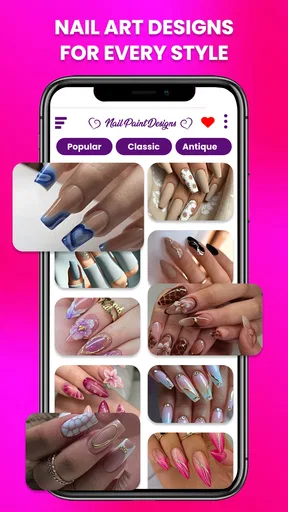
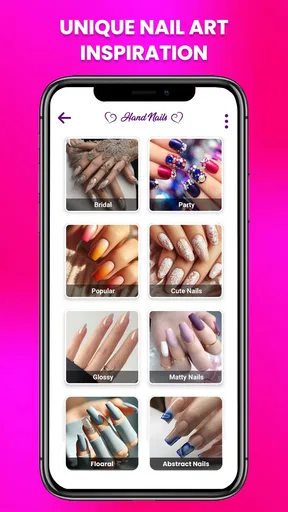
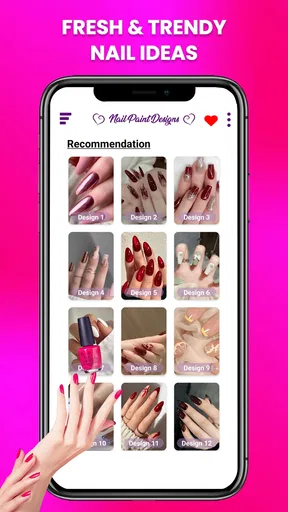
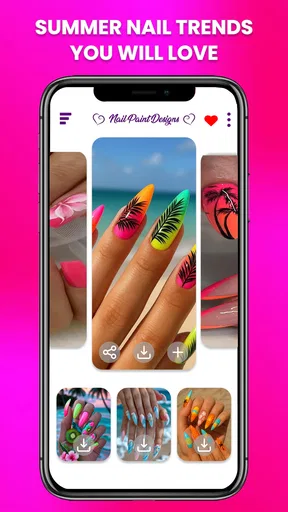
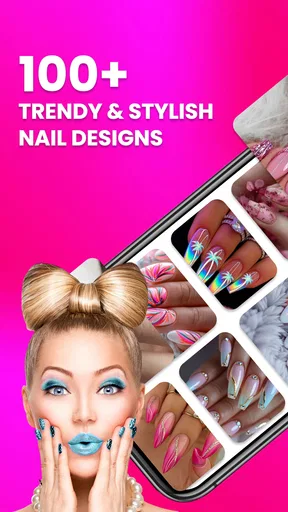
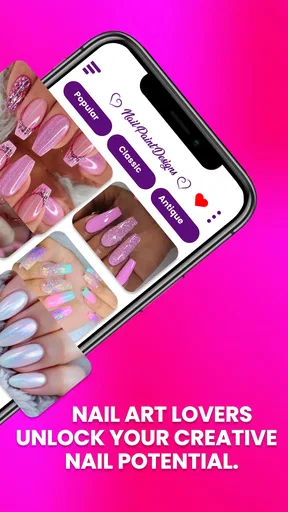
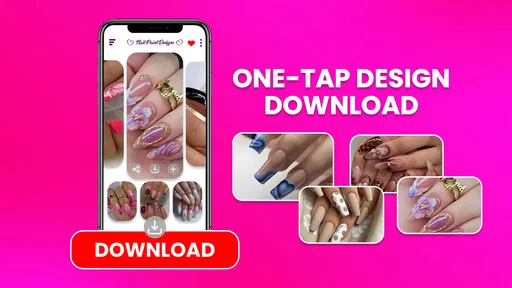
Our Review of Nail Art Design: Paint Nails
 Analysis by Appyee
I like nail art most when it gives me room to experiment without turning a manicure into a commitment. Nail Art Design: Paint Nails is aimed at that kind of low-pressure creativity: it lets you explore looks on screen, compare ideas, and decide what might suit your next set. I’d treat it as a visual planning and play app rather than a replacement for polish, tools, or hands-on practice.
Free to start, with paid extras
The app is free to download, so you can try its basic appeal without paying upfront. It also offers in-app purchases, with items priced from $0.99 to $14.99. That range is worth keeping in mind if you prefer to avoid spending inside apps: I’d begin by exploring what is available at no cost, then decide whether any paid item genuinely improves the way you use it. The presence of purchases doesn’t make the free starting point less useful, but it does mean “free” should not be read as a promise that every option is included.
JedyApps developed this beauty app, which is intended for everyone and runs on Android 7.0 or later. It has a 3.8 average from around 1.1 thousand ratings, and has passed 100 thousand installs. Those figures suggest it has found an audience, but they aren’t a substitute for checking whether its design tools fit your own taste. It was released on July 5, 2023, and version 2.4.3 is the current version.
Where the creative value comes from
The most practical reason I’d open it is to test combinations before trying to recreate them in real life. A color that looks appealing on its own can feel very different beside a pattern or decoration, and switching between ideas on a screen is an easy way to narrow down choices. The app’s nail-design focus makes that trial-and-error feel more direct than browsing unrelated beauty inspiration and trying to imagine how a look might translate onto nails.
I’d use it as a small decision aid before a salon appointment: save a few mental notes about the shape and style I like, then explain the look more clearly to a nail artist. It can also help when I’m unsure whether a bold design feels right for an event or whether a simpler version would suit everyday wear better. The value is in getting a visual starting point, not a guarantee that a finished manicure will match the screen exactly.
Making nail ideas useful in real life
For a quick everyday example, imagine I’m getting ready for a weekend gathering and have a few minutes between other plans. I can try a couple of color-and-pattern directions, notice which one feels most like me, and keep that idea in mind when choosing polish or talking with a salon. That is a more useful outcome than endlessly collecting pictures without deciding what I actually want.
It also suits casual experimentation. If you enjoy changing your look but hesitate to commit to a design, trying possibilities digitally can make the decision feel less daunting. I’d use it to explore broad directions first—such as a restrained look versus a more decorative one—rather than expect a digital preview to settle every detail of a real manicure.
What to expect from the experience
A design app is most helpful when it supports comparison, and I’d approach this one with that goal in mind. Instead of treating each idea as a finished answer, try a few variations and look for the details that keep working: the general color mood, the amount of decoration, or the overall shape. That habit turns casual tapping into a more deliberate planning session and helps prevent a screen full of unrelated ideas from becoming overwhelming.
There is a trade-off in relying on any digital nail preview. A design shown on screen is a reference, not a promise about how polish, lighting, nail length, or a particular artist’s technique will look in person. I’d bring the app’s ideas into a salon conversation as inspiration and stay open to adjustments. If an exact real-world result is essential, a consultation and examples of completed manicures are more dependable than a visual mock-up alone.
Compared with searching image boards or social feeds, a dedicated nail-design app offers a more focused place to think about nail looks rather than beauty ideas in general. The usual alternative—saving photos from the web—can be stronger when you want to see real finished manicures, varied hands, and natural lighting. I’d use those sources to check realism, then use this app for playful exploration and narrowing down a direction. Neither approach has to replace the other.
Who will get the most from it
I think it is best suited to beginners, curious hobbyists, and anyone who wants a relaxed way to plan a manicure. It may also help someone who struggles to describe a design verbally: arriving with a clear visual direction can make a discussion with a nail artist easier, even if the final result needs practical changes.
It is less compelling if you already know exactly what you want, need detailed professional training, or expect an app to teach every hands-on technique. A digital idea can show a direction, but practicing brush control and working with real products are different tasks. If your main aim is learning through close instruction, choose a resource that clearly matches the specific skill you want to develop rather than assuming a collection of design ideas will cover it.
Before spending on an optional item, I’d ask whether it solves a real problem in my own workflow. If the free experience already gives me enough inspiration to choose a look, there may be no reason to buy more. If I find myself returning often and a particular paid option adds something I genuinely want, the stated price range gives me a way to weigh that choice. I wouldn’t pay simply because an extra is presented as a route to being more creative; the design decisions still come from you.
First Impressions Matter
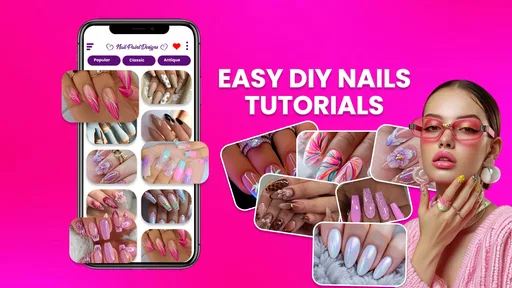
When I first opened Nail Art Design: Paint Nails, I was greeted with a burst of colors and a user-friendly interface. The design is vibrant yet not overwhelming, making it easy to navigate even if you're new to nail art apps. The home screen features an array of options from trying out pre-designed nail art to creating your own unique styles.
What really caught my eye was the variety of tools and colors available. It felt like having a mini nail salon right in my pocket. You can choose from a palette of colors, brushes of different sizes, and an assortment of stickers and gems to glam up your nails. The possibilities are endless!
Getting Creative
One of the highlights of this app is its DIY mode. Here, you can unleash your creativity by designing your own nail art. The app allows you to try different patterns, from classic french tips to intricate geometric designs. If you're feeling adventurous, you can even mix and match styles to create something completely unique.
The app also offers a variety of nail shapes to choose from, so you can see how a design looks on different nail types. This feature is super handy for those of us who like to plan our next salon visit or want to try something new without the commitment.
Learning and Sharing
For those who want to learn more about nail art techniques, the app provides a rich library of tutorials. These step-by-step guides are perfect for beginners and seasoned nail artists alike. The tutorials cover everything from basic techniques to more advanced designs, making it easy to learn at your own pace.
Another cool feature is the community aspect. You can share your creations with other users and get feedback. It’s a fantastic way to gain inspiration and improve your skills. The app even hosts challenges where you can submit your designs and compete with others, adding a fun, competitive element to the mix.
The Verdict
So, what’s the final word on Nail Art Design: Paint Nails? I’d say it's a must-try for anyone interested in nail art. The app combines creativity and learning in an engaging way that keeps you coming back for more. Whether you're preparing for a special occasion or just want to have fun experimenting, this app has you covered.
With its extensive range of tools, user-friendly interface, and interactive community features, Nail Art Design: Paint Nails is more than just an app; it's a creative outlet. If you haven't yet, give it a go and let your artistic side shine. Your nails will thank you!
Ready to get started? Check out the download links and dive into the colorful world of nail art today!
My buy-or-skip take
I’d try it if I wanted a focused, low-stakes way to play with nail ideas before choosing a real manicure. Its free entry makes that trial straightforward, while optional purchases are a reason to check what you actually use before paying. I’d skip it if I needed a guaranteed preview of salon results or hands-on instruction as my main goal. For inspiration and planning, though, it offers a pleasant place to turn a vague “maybe something different” into a more considered choice.
Privacy and Permissions
See what permissions an app requests and how it handles your data.
- Photos/Media/Files
- read the contents of your USB storage, modify or delete the contents of your USB storage
- Storage
- read the contents of your USB storage, modify or delete the contents of your USB storage
- Camera
- take pictures and videos
- Wi-Fi connection information
- view Wi-Fi connections
- Other
- view network connections, control flashlight, full network access, reorder running apps, control vibration, prevent device from sleeping, Google Play license check
Verdict
Strengths of Nail Art Design: Paint Nails
- Wide range of design templates available.
- User-friendly interface for easy navigation.
- Regular updates with new design trends.
- High-quality graphics for realistic previews.
- Customizable color palette for personalization.
Limitations of Nail Art Design: Paint Nails
- Limited offline functionality available.
- May experience occasional app crashes.
- Some features locked behind a paywall.
- Ads can be intrusive during use.
- Requires a stable internet connection.
Other Releases by JedyApps
View All
Holy Quran Offline Reading
Libraries & Demo4.4

SmartWatch Connect for Android
Libraries & Demo3.9
Similar Picks in This Category
View All
Beauty Makeup Editor & Camera
Photo & Video Editors - Instant Solution4.7

Perfect365: Face Makeup Editor
Perfect365, Inc.3.5

Mirror Plus - HD Mirror app
Digitalchemy, LLC4.8

Cute Lock Screen & Wallpapers
Prometheus Interactive LLC4.6

HD Camera for Android
One Music Player4.5

Phone Mirror app - True Mirror
Cards4.6
Frequently Asked Questions
What features does Nail Art Design: Paint Nails offer?
Nail Art Design: Paint Nails provides a wide array of tools for creating stunning nail designs. Users can choose from various colors, patterns, and accessories to personalize their virtual nails. The app also offers pre-designed templates, step-by-step tutorials, and the ability to share creations on social media platforms.
Is Nail Art Design: Paint Nails suitable for beginners?
Absolutely! Nail Art Design: Paint Nails is designed with user-friendliness in mind, making it perfect for beginners. The app includes easy-to-follow tutorials and intuitive controls that guide users through the nail art process, ensuring even novices can create professional-looking designs with ease.
Does the app require an internet connection to function?
Nail Art Design: Paint Nails primarily functions offline, allowing users to design nails anytime, anywhere. However, an internet connection is needed to access additional content such as new design packs, updates, and to share creations with friends on social media platforms.
Are there any in-app purchases available?
Yes, Nail Art Design: Paint Nails offers in-app purchases, allowing users to unlock exclusive design packs, colors, and tools. While the app provides a variety of free features, these optional purchases enhance the user experience by offering more customization and creativity options.
Is Nail Art Design: Paint Nails compatible with all devices?
Nail Art Design: Paint Nails is compatible with most modern Android and iOS devices. Users should ensure they have the latest operating system installed for optimal performance. It's advisable to check the app store listing for specific device compatibility before downloading.
